How to collect every photo from your wedding guests
To collect wedding guest photos, create one shared album before the day and give guests its QR code and link. Put the code on table cards, mention it during the reception, and send the link again with your thank-you message. Guests can upload from a phone browser without installing an app or creating an account.
- Create one album and download its QR code.
- Share the code at tables and announce it during the reception.
- Send the link after the wedding for late photos.


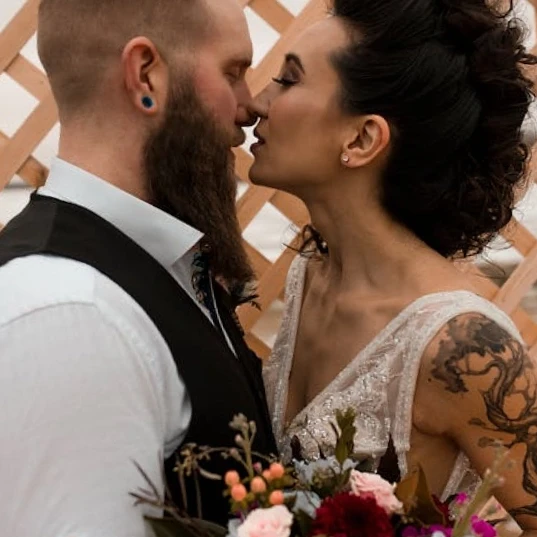
The new Mr. and Mrs. looking fabulous! 😍
Natalie
On this page
Your photographer covers the big moments. Your guests catch everything in between: the getting-ready chaos, the jokes at table six, the dance floor at midnight. Those photos only reach you if collecting them is easy and guests are reminded at the right moments. This guide walks you through a plan that works for most weddings, from a few weeks before the day to the week after.
Why guest photos go missing
Most couples never see the majority of photos their guests take. It is rarely because guests don’t want to share. The photos stay in camera rolls because nobody asked at the right time, the group chat was too busy, or sharing meant installing something or creating an account.
Collecting guest photos works when three things are true: there is one obvious place to put them, getting there takes a single scan or tap, and someone reminds guests while the photos are still fresh. Everything below is about making those three things happen.
Before the wedding: set up one shared album
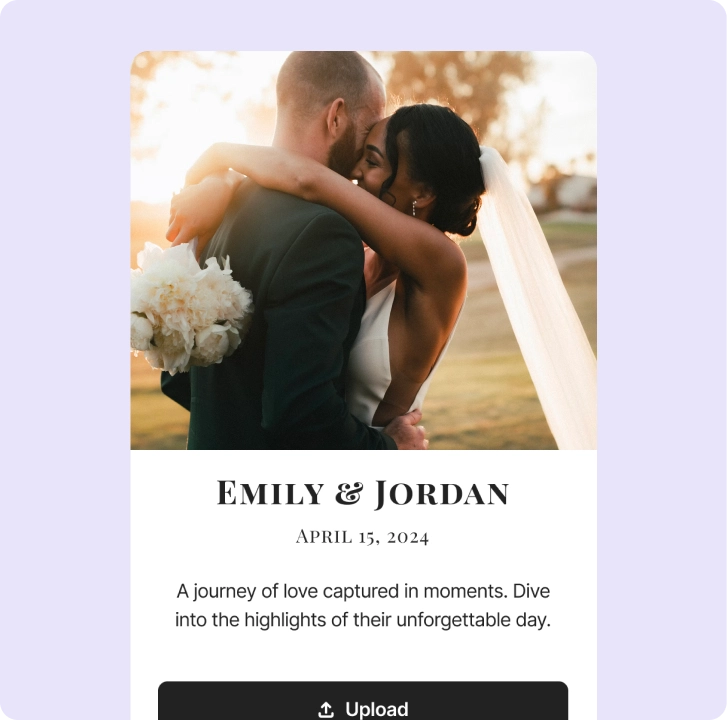
Create your album a few weeks ahead and give it your names, date and a style that matches your invitations. A wedding photo sharing app that opens in the phone browser means guests don’t need to download anything, which matters for older relatives and guests with little storage left on their phones.
Download the album QR code and test that it opens the album. Before sharing it with guests, use this checklist to choose visibility, approval and any other settings that suit your wedding:
- Can guests see each other’s photos, or should uploads only be visible to you?
- Do you want to approve uploads before they appear in the album or on a screen?
- Should guests be able to add videos, GIFs and written wishes as well as photos?
- Do you want every guest to add their name, so you know who took what?
- Will a password help, for example if the link will be shared widely?
Once the settings are ready, add the QR code or link to your invitations or wedding website. Guests can share engagement photos, travel snaps and pictures from the hen and stag parties before the day, which helps them get used to the album.
On the wedding day: make the album impossible to miss
Put the QR code where people pause, not only where they arrive. A single sign at the entrance is easy to walk past; a small card on every table is seen again and again.
- The welcome sign and the seating chart
- One card per table, next to the name cards or the menu
- The bar, the photo booth corner and the guest book table
- The order of service or programme, if you print one
One announcement beats ten signs
Ask your host, a friend or the DJ to mention the album once, ideally after dinner when phones come out. Something short works best: “Scan the code on your table and add your photos and videos from today. No app needed.”
Show the photos while the party is still going
If there is a screen or projector at the reception, run the live photo wall. New photos appear as guests upload them, and seeing their own picture on the big screen is the most effective nudge for everyone else to join in.
After the wedding: ask for remaining photos
Many of the best photos arrive in the days after the wedding, once guests are home and scroll back through their camera rolls. Send the link again with your thank-you message and invite anyone who hasn’t shared yet.
A simple timeline that works well:
- The morning after: a short message with the link and a thank-you
- Three to five days later: a reminder for anyone who hasn’t added their photos yet
- When your photographer’s preview arrives: share it together with a last call for guest photos
- When uploads slow down: download the whole album as a ZIP and keep a copy with your professional photos
Guest photos and your photographer
Guest photos don’t replace a professional; they fill the gaps around one. Your photographer can’t be at every table, or in the cloakroom when your grandmother starts dancing, and guests see the day from angles nobody else does.
Let your photographer know that guests will be sharing too, and ask your host to keep the ceremony phone-free if you prefer. Afterwards, keep both collections side by side: the professional photos for the album on your shelf, and the guest photos for everything in between.
What to write in your reminders
Reminders work best when they are short, warm and make the next step obvious. A few examples you can adapt:
- Invitation: “Share your photos with us before, during and after the day. Scan the code, no app needed.”
- Morning after: “Thank you for celebrating with us! Add your photos and videos from last night here.”
- A week later: “Still have photos from our wedding on your phone? We’d love to see them.”
Always include the link itself, not only the QR code: most guests will read these messages on the same phone that holds their photos.
Common mistakes to avoid
- Only one QR code, at the entrance, where nobody stops
- Asking guests to install an app or create an account first
- Forgetting the announcement, so half the room never knows the album exists
- Closing the album the day after, before the second wave of photos arrives
- Not testing the QR code on a printed card before ordering the full batch
Get these right and you will come home to one album with the photos, videos and wishes of the people who shared your day.
More guides
All guides
How to make a wedding QR code for photos
Where to put the code, what to write on the sign and how to print it so every guest can scan it.
5 min read
Digital guest book vs paper guest book
What a digital wedding guest book adds, prompts that get warmer messages and how to keep them.
4 min read
How to share event photos with a QR code
Before, during and after: the decisions that make a QR code photo album actually fill up.
5 min read